
- No more prior picking, choosing or planning required - just download them all as you go!
- The Montana 7x0 can index millions of geocaches to allow virtually unlimited geocaching.
- Enjoy access to individual geocaches, PQ's and Lists directly from Geocaching.com.
- New: Geocache child waypoints are now automatically downloaded via GCLive!
- New: Enable Proximity Alarms so you never have to miss another unfound geocache again!
- Load GPX/GGZ files from your favorite geocaching database software or hosting website.
- All paperless features are available for every geocache.
- View complete descriptions, hints and logs.
- Filter geocaches by size, terrain, difficulty and type.
- Enable or Disable individual GPX, GGZ, and GCLive files as desired!
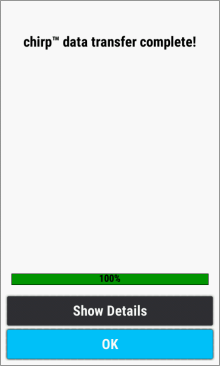
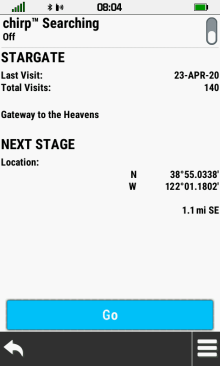
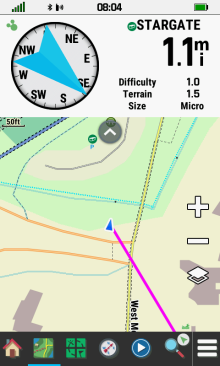
- Connect to chirp enabled geocaches.
- Record and publish your geocache logs while in the field.
- The Montana 7x0 provides an unsurpassed geocaching experience.
- Configure Geocaching settings in [Setup > Geocaching].
- Access geocaching features remotely with the Geocaching dashboard.
- Tip: Add benchmarks to your Garmin GPSr!
- Tip: Add waymarks to your Garmin GPSr!
GPX vs GGZ
-
Use one or the other, or use them both. The Montana
7x0 provides full geocaching functionality regardless of format. Using GGZ files substantially improves the
Montana 7x0 searching and indexing speeds. GGZ files consist of a compressed geocache GPX archive that includes
an XML index containing only the information essential to searching and indexing functions. When a specific
geocache is selected, additional information is then retrieved from the corresponding GPX file as required.
Removing unnecessary information from the sorting process translates into a more efficient and enjoyable geocaching experience.
Geocaching Tabs
- All Geocaching functions can be accessed from these tabs:
 |
||
|---|---|---|
| Active Geocache | ||
 |
||
| Geocache List | ||
 |
||
| Geocache Map |
 |
 |
 |
 |
|---|---|---|---|
| Select a geocache | Active Geocache Menu |
 Geocaching Setup |
Additional Waypoints |
Description
 |
 |
 |
 |
|---|---|---|---|
| Select [Description] |
Geocache description is displayed |

 Scroll description to view all available information
 |
|
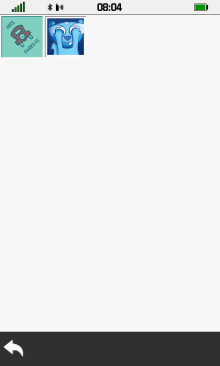
Photos
- See Geocaching with Photos for more information
 |
 |
 |
 |
|---|---|---|---|
 Select photo icon |
Photo and spoiler thumbnails are displayed |
Select desired thumbnail | Selected image is displayed |
 |
 |
 |
 |
| Select spoiler thumbnail | Touch Opie to view hidden spoiler image |
Spoiler image is displayed | Spoiler thumbnail no longer hidden by Opie |
Logs
 |
 |
 |
 |
|---|---|---|---|
| Select [Logs] | Geocache logs are displayed |
Scroll logs to view all available information |
|
Hint
 |
 |
||
|---|---|---|---|
| Select [Hint] | View geocache hint |
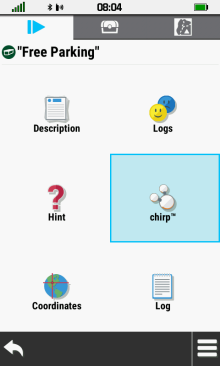
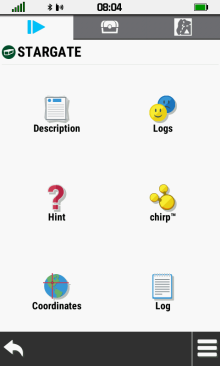
Chirp
 |
 |
 |
 |
|---|---|---|---|
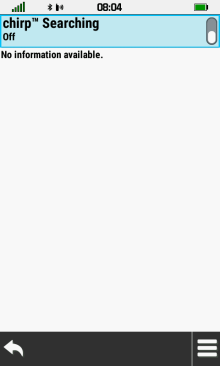
| Select [chirp] | chirp searching disabled | Enable chirp Searching | chirp searching enabled |
 |
 |
 |
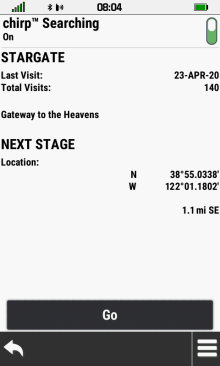 |
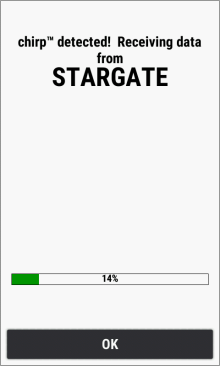
| chirp detected! | Data transfer complete | Select [OK] | chirp data displayed |
 |
 |
 |
 |
| Disable chirp searching to conserve battery power |
Select [Go] | chirp destination enabled (ANT+ logo near compass) |
Gold chirp icon indicates chirp searching is enabled |
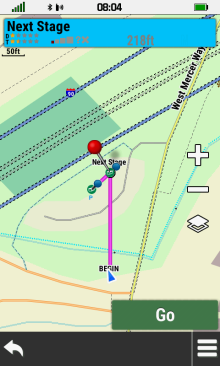
Next Stage
Enter Coordinates
 |
 |
 |
 |
|---|---|---|---|
| Select [Coordinates] | Edit coordinates |  |
Next Stage destination enabled |
Save Waypoint
 |
 |
 |
 |
|---|---|---|---|
| Create Next Stage |  Select Geocache List |
Select [Next Stage] | Next Stage displayed on map |
 |
 |
 |
 |
| Select [Info Box] | [Save as Waypoint] |
Select [OK] |
[Edit Waypoint] |
Child Waypoints
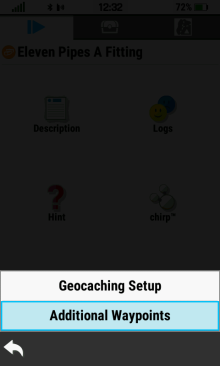
- Access additional waypoints for the active geocache.
 |
 |
 |
 |
|---|---|---|---|
|
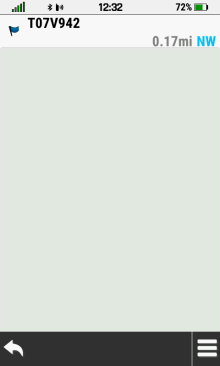
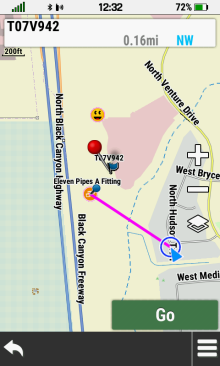
[Additional Waypoints] | Child waypoints for active geocache are displayed |
Select desired waypoint |
 |
 |
 |
 |
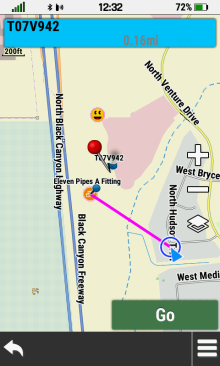
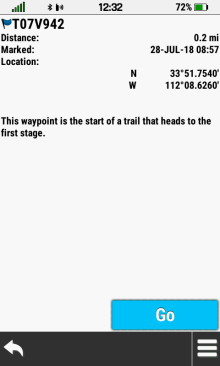
| The selected waypoint is displayed on the map |
Select [Info Box] to view waypoint details |
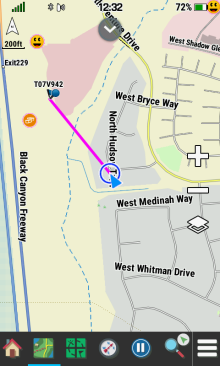
Select [Go] to begin navigation |
Child waypoint navigation begins |
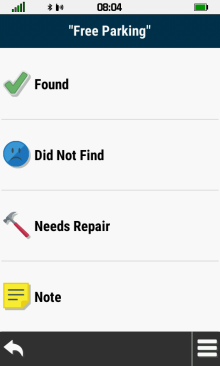
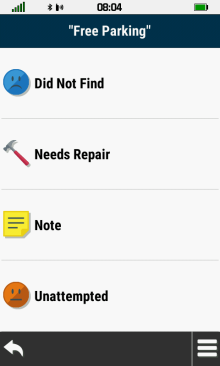
Create Log
 |
 |
 |
|
|---|---|---|---|
| Select [Log] | Scroll available options | Choose desired Log Type |
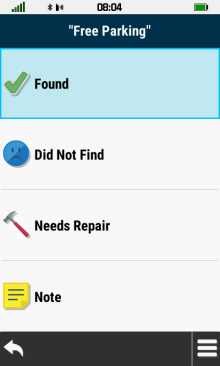
Found
 |
 |
 |
 |
|---|---|---|---|
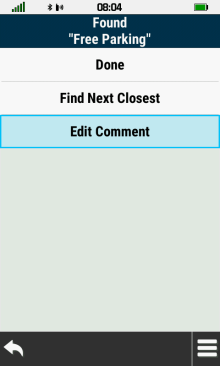
| Select [Found] | Select [Edit Comment] |
Enter
Comment |
[Done] Must be selected to save results |
Did Not Find
 |
 |
 |
 |
|---|---|---|---|
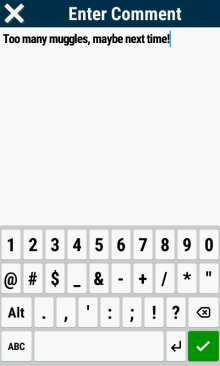
| Select [Did Not Find] | Select [Edit Comment] |
Enter
Comment |
[Done] Must be selected to save results |
Needs Repair
 |
 |
 |
 |
|---|---|---|---|
| Select [Needs Repair] | Select [Edit Comment] |
Enter Comment |
[Done] Must be selected to save results |
Write
Note
 |
 |
 |
 |
|---|---|---|---|
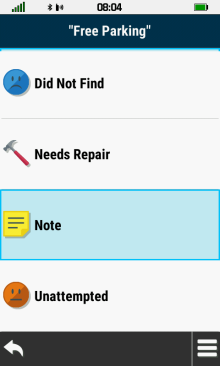
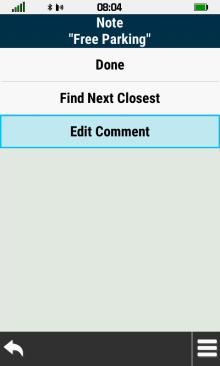
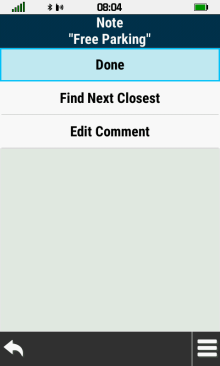
| Select [Note] | Select [Edit Comment] |
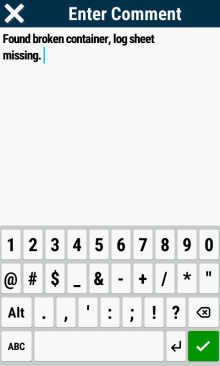
Enter
Comment |
[Done] Must be selected to save results |
Unattempted
 |
 |
||
|---|---|---|---|
| Select [Unattempted] | Select [Done] to mark geocache as not found |
Geocache List
- The geocache list will reflect any currently active geocache filter.
- Only the nearest 1000 geocaches within a radius of approximately 100 miles from your present location will be displayed.
- Geocaches beyond these boundaries will appear on the map when viewed at or below the selected geocache zoom level.
- Use Search Near to view a list of geocaches by proximity to a user specified location.
- If geocaches loaded on the GPSr are not displayed, try setting the active filter to Show All.
Choose Geocache
 |
 |
 |
 |
|---|---|---|---|
| Open Geocache List Tab | Choose desired geocache | Select [Info Box] to view geocache details |
Select [Go] to begin navigation |
Spell Search
 |
 |
 |
 |
|---|---|---|---|
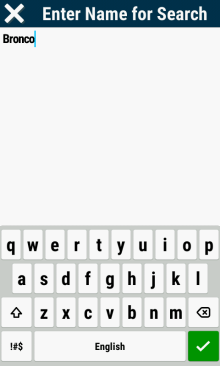
| Open Geocache List Tab | [Spell Search] |
Enter search term |
Choose from search results |
Search Near
 |
 |
 |
|
|---|---|---|---|
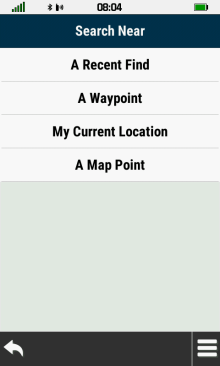
| Open Geocache List Tab | [Search Near] |
Choose desired 'Search Near' location |
GC Live Download
 |
 |
 |
 |
|---|---|---|---|
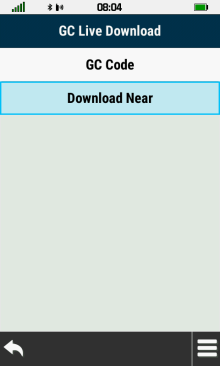
| Open Geocache List Tab | [GC Live Download] |
Select [GC Code] |
Enter Desired
GC Code |
 |
 |
 |
 |
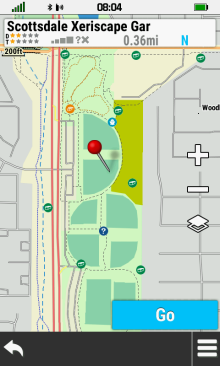
| Geocache Displayed on Map Screen |
Select [Go] to begin navigation |
Select [Download Near] |
Choose desired 'Search Near' options |
Filter
 |
 |
 |
|
|---|---|---|---|
| Open Geocache List Tab |
[Filter] |
Choose Desired Filters |
Show Found
 |
 |
 |
 |
|---|---|---|---|
| Open Geocache List Tab |
|
[Show Found] | Recent Finds are displayed |
Geocache Map
- The geocache map will reflect any currently active geocache filter.
- If geocaches loaded on the GPSr are not displayed, try setting the active filter to Show All and check Map Page geocache zoom settings.
Choose Geocache
 |
 |
 |
 |
|---|---|---|---|
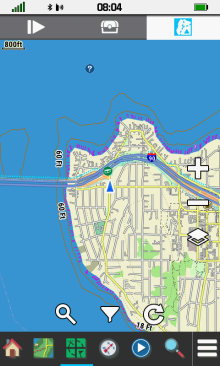
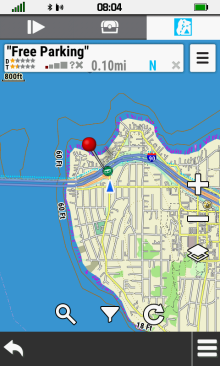
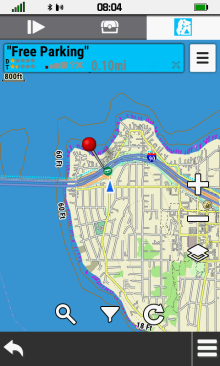
| Open Geocache Map Tab | Choose a geocache | Select [Info Box] to view geocache details |
Select [Go] to begin navigation |
Show or Hide Waypoints
- Show device waypoints when desired, or hide them to declutter the geocache map.
 |
 |
 |
 |
|---|---|---|---|
|
[Show Waypoints] |
Geocache Map with device waypoints displayed |
[Hide Waypoints] |
Geocache Map with device waypoints hidden |
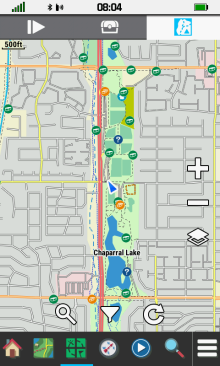
Refresh
Current Location
 |
 |
 |
 |
|
Open Geocache Map Tab |
 Select Refresh |
Geocache information loaded into database |
Available geocaches are |
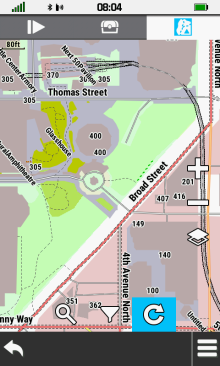
Pan Map
 |
 |
 |
 |
| Pan Geocache Map to desired location |
Select Refresh |
Geocache information loaded into database |
Available geocaches are |
Pinned Location
 |
 |
 |
 |
| Touch desired map position to place red pin |
Select Refresh |
Geocache information loaded into database |
Available geocaches are added to the map display |
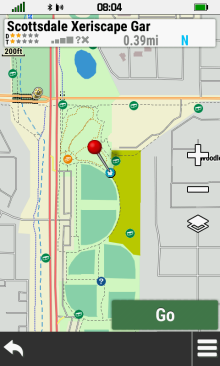
Search
 |
 |
 |
 |
| Open Geocache Map Tab |
 Select Search |
Select [GC Code] |
Enter Desired
GC Code |
|---|---|---|---|
 |
 |
||
|
Geocache Displayed on Map Screen |
Select [Go] to begin navigation |
Filter
 |
 |
 |
|
| Open Geocache Map Tab |
 Select Filter |
Choose Desired Filters |
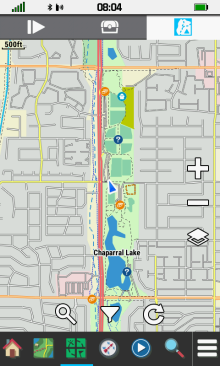
Geocache Filters
- Any modifications made to the currently active filter will be immediately reflected in the geocache list and map displays:
 |
 |
 |
|
|---|---|---|---|
| No Filters | Geocache List | Geocache Map | |
 |
 |
 |
|
| Cache Size Filters added | Filtered Geocache List | Filtered Geocache Map | |
 |
 |
 |
|
| Cache Type Filters added | Filtered Geocache List | Filtered Geocache Map |
Choose Filters
Type
 |
 |
 |
 |
|---|---|---|---|
| Select [Type] |
View available types |
Select desired type |
Type availability is toggled |
 |
 |
 |
|
| Toggle each type as desired |

When complete |
Enabled types are updated |
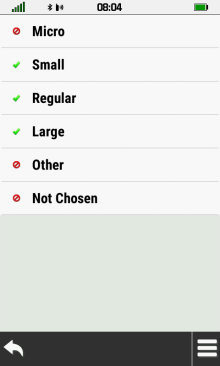
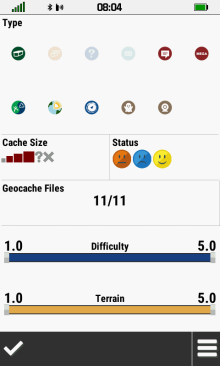
Size
 |
 |
 |
 |
|---|---|---|---|
| Select [Cache Size] | View available sizes | Select desired size | Size availability is toggled |
 |
 |
 |
|
| Toggle each size as desired |
When complete |
Enabled sizes are updated |
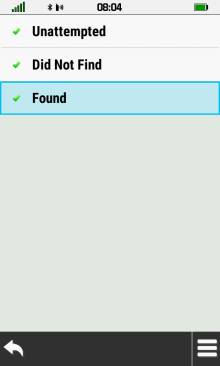
Status
 |
 |
 |
 |
|---|---|---|---|
| Select [Status] | Enable/Disable as desired |
When complete |
Status selections are updated |
Geocache Files
 |
 |
 |
 |
|---|---|---|---|
| Select [Geocache Files] | Enable/Disable as desired |
When complete |
Geocache Files are updated |
Difficulty and Terrain
 |
 |
|
 |
|---|---|---|---|
| Adjust Difficulty Minimum & Maximum |
Adjust Terrain Minimum & Maximum |
Choose from filtered results |
Saved Filters
 |
 |
 |
 |
|---|---|---|---|
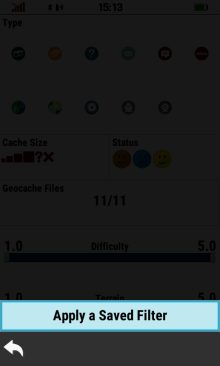
|
Select [Apply a Saved Filter] | Choose desired filter |
Apply selected filter |
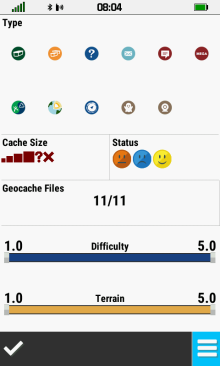
Create Filter
 |
 |
 |
 |
|---|---|---|---|
|
Select [Apply a Saved Filter] |
|
Select [Edit Filters] |
 |
 |
 |
 |
| Select [+Create Filter] |
Create Desired Filter |
New filter displayed at bottom of filter list |
Select new filter |
 |
 |
 |
 |
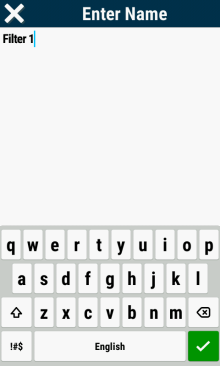
| Select [Edit Name] |
Edit filter name as desired |
|
Filter name is updated |
Edit Saved Filter
 |
 |
 |
 |
|---|---|---|---|
| Open Filters | [Apply a Saved Filter] |
[Edit Filters] |
Choose filter to edit |
PQ List Download
- Each PQ and/or List will display the PQ or List name, number of geocaches included, and the current sync status.
- Synced: The PQ or List data on the GPSr is identical to the Groundspeak website data.
- Not Synced: The PQ or List data has not been downloaded to the GPSr.
- Out-of-Sync: The PQ or List data on the GPSr does not match the Groundspeak website data.
 |
 |
 |
 |
|---|---|---|---|
[Geocaching Setup] |
[Geocaching Live] | [Geocache Lists] | Geocache List Information is synchronized |
 |
 |
 |
 |
| Select [Sync
All], or |
Select Desired Geocache List |
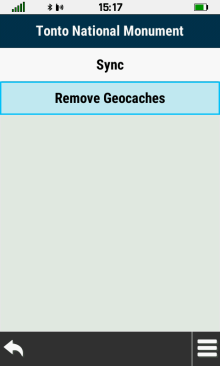
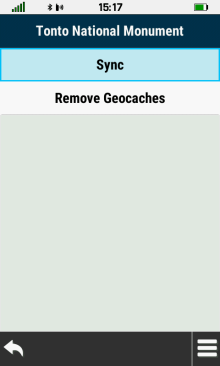
[Remove Geocaches] Clears Geocache Data |
[Sync] Loads Geocache Data |
 |
 |
 |
 |
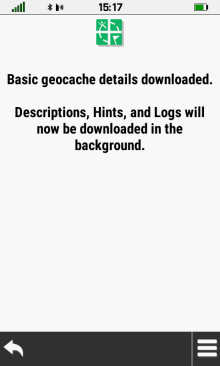
| Geocache List Data is Downloaded |
Basic Geocache List Information is Loaded |
Geocache List Details Continue to Download |
Geocache List Synchronization Complete |
